English to Urdu
An English to Urdu dictionary inside your EPUB reader.
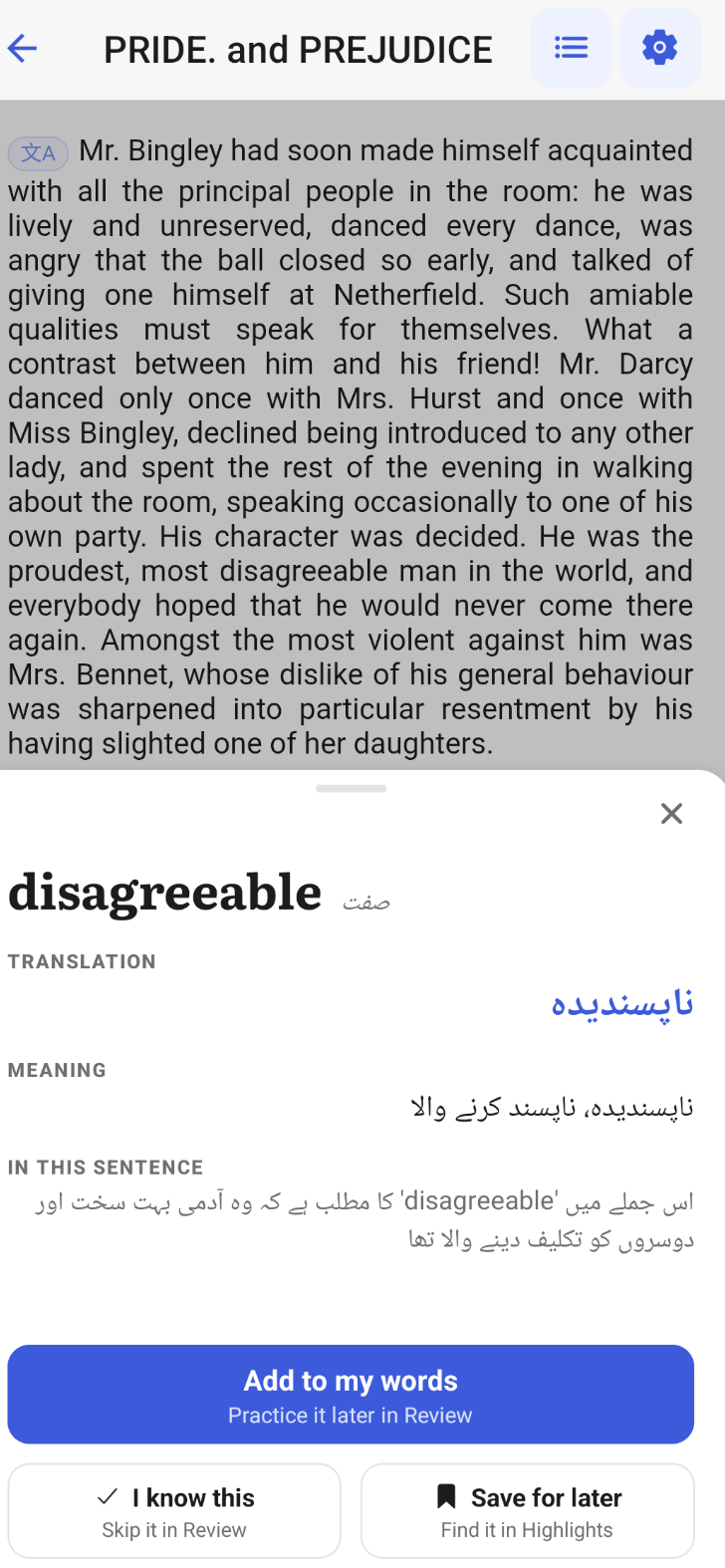
Read English books and tap any word you don't know. uSage shows what it means in that sentence and gives the Urdu translation, without leaving the page.
انگریزی کتاب پڑھتے ہوئے کسی بھی لفظ پر ٹیپ کریں

How it works while you read
A separate dictionary app means copying, switching and losing your place. In uSage the meaning and the Urdu translation open right over the page.
Open an English EPUB
Import your own file or pick a free classic from the library.
Tap a word
See what it means in this sentence, with the Urdu translation beside it.
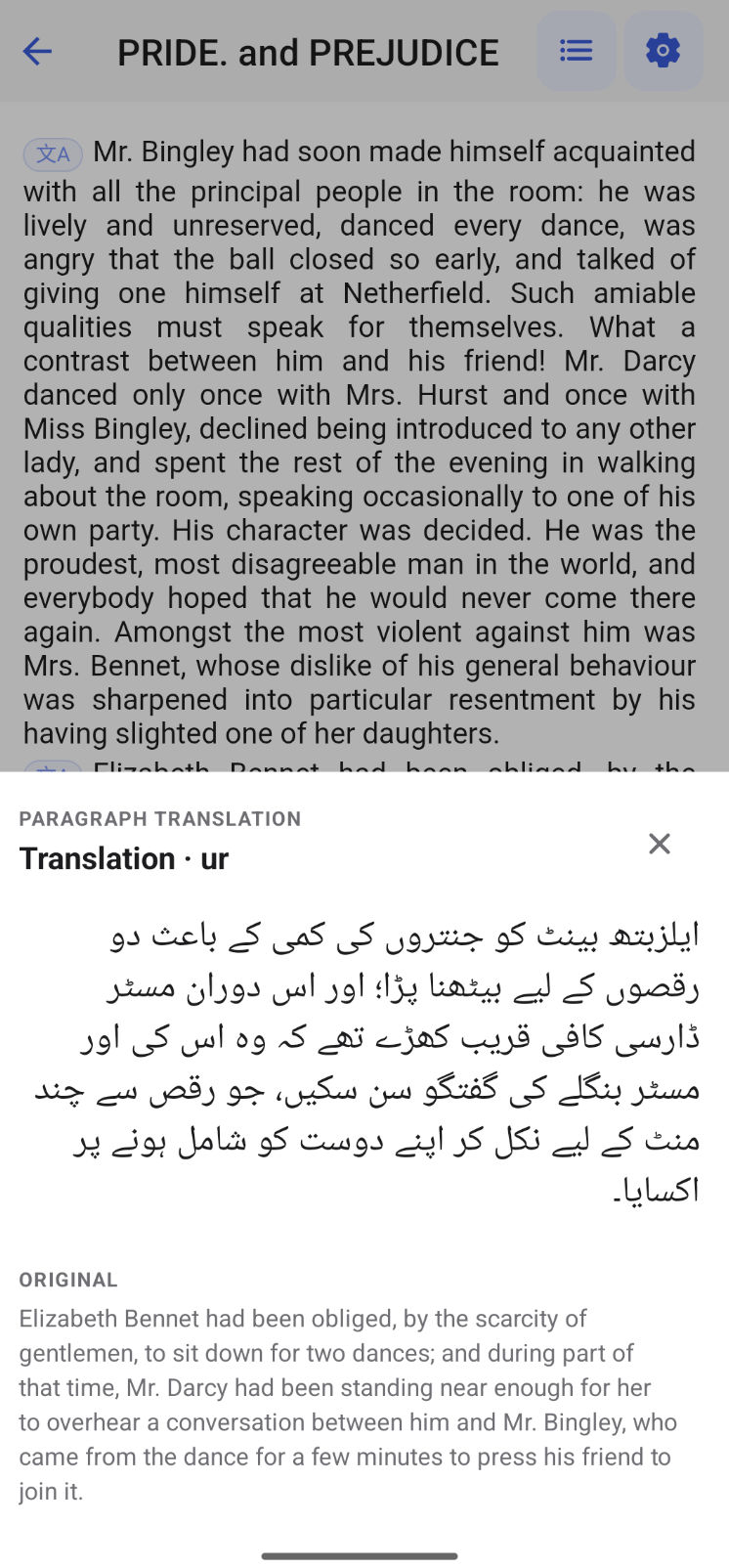
Translate a paragraph
When a whole passage is hard, read it in Urdu, then return to the English.
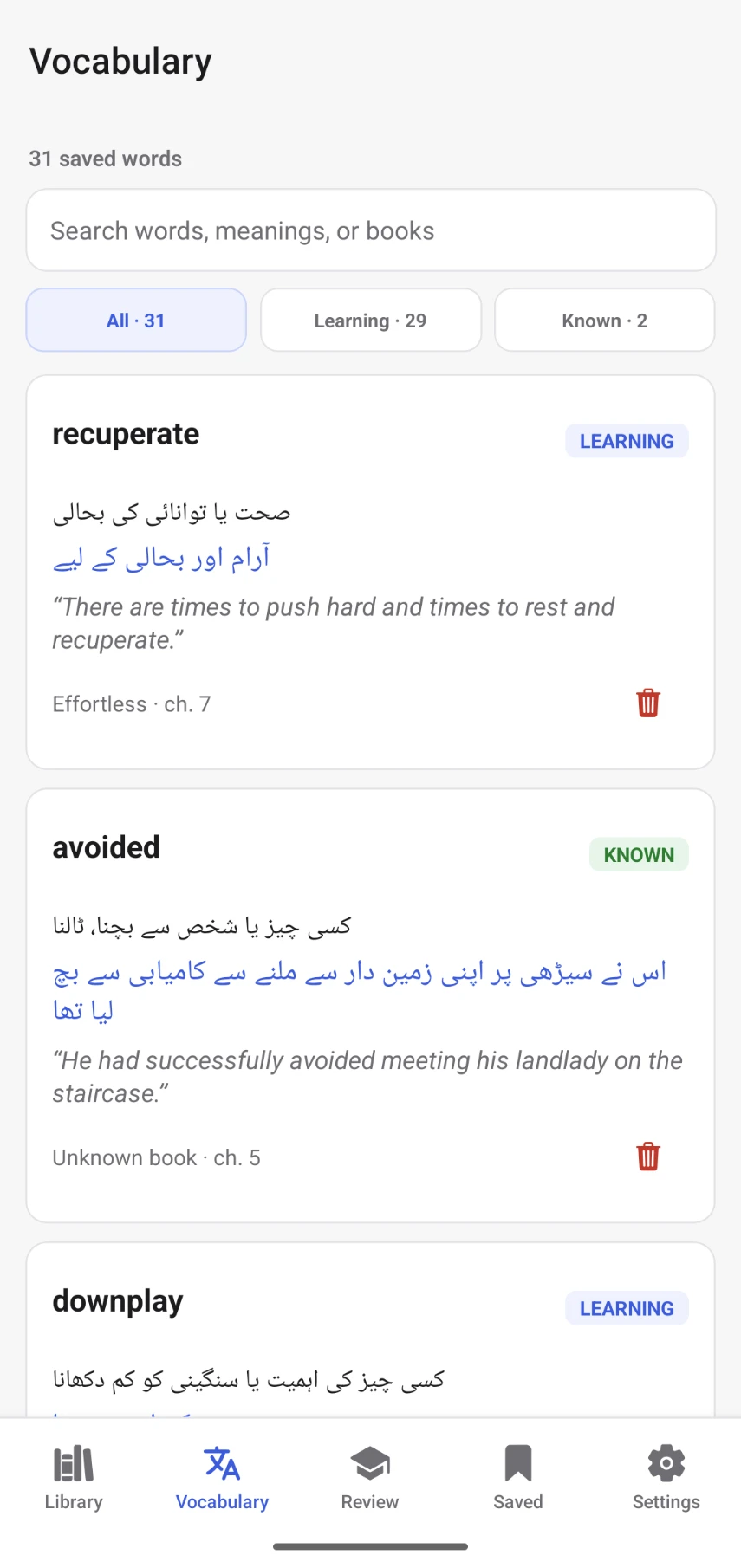
Save the word
It's kept with the sentence you found it in, so the context stays.
Review it later
Saved words come back in a daily review until you know them.
Read offline
Downloaded books keep working without a connection.
Questions
Does uSage translate English words into Urdu?
Yes. Tap any word in an English EPUB and uSage shows its meaning in that sentence along with an Urdu translation, written in Urdu script.
Can I translate a full paragraph into Urdu?
Yes. Tap the translate button at the start of a paragraph to see the whole paragraph in Urdu, then go back to reading the English.
Can I use my own EPUB books?
Yes. Import any DRM-free EPUB from your phone, or start with the free public-domain classics already in the library.
Is it only for Urdu?
No. uSage supports 11 languages, including Urdu, Hindi and Arabic, and you can switch language at any time or keep explanations in simple English.
Is uSage free?
Yes. uSage is free on Google Play for Android, with no ads. An iPhone version is coming soon.

Read in English, understand in Urdu.
Free on Google Play. iPhone version coming soon.