An EPUB reader for iPhone that teaches while you read.
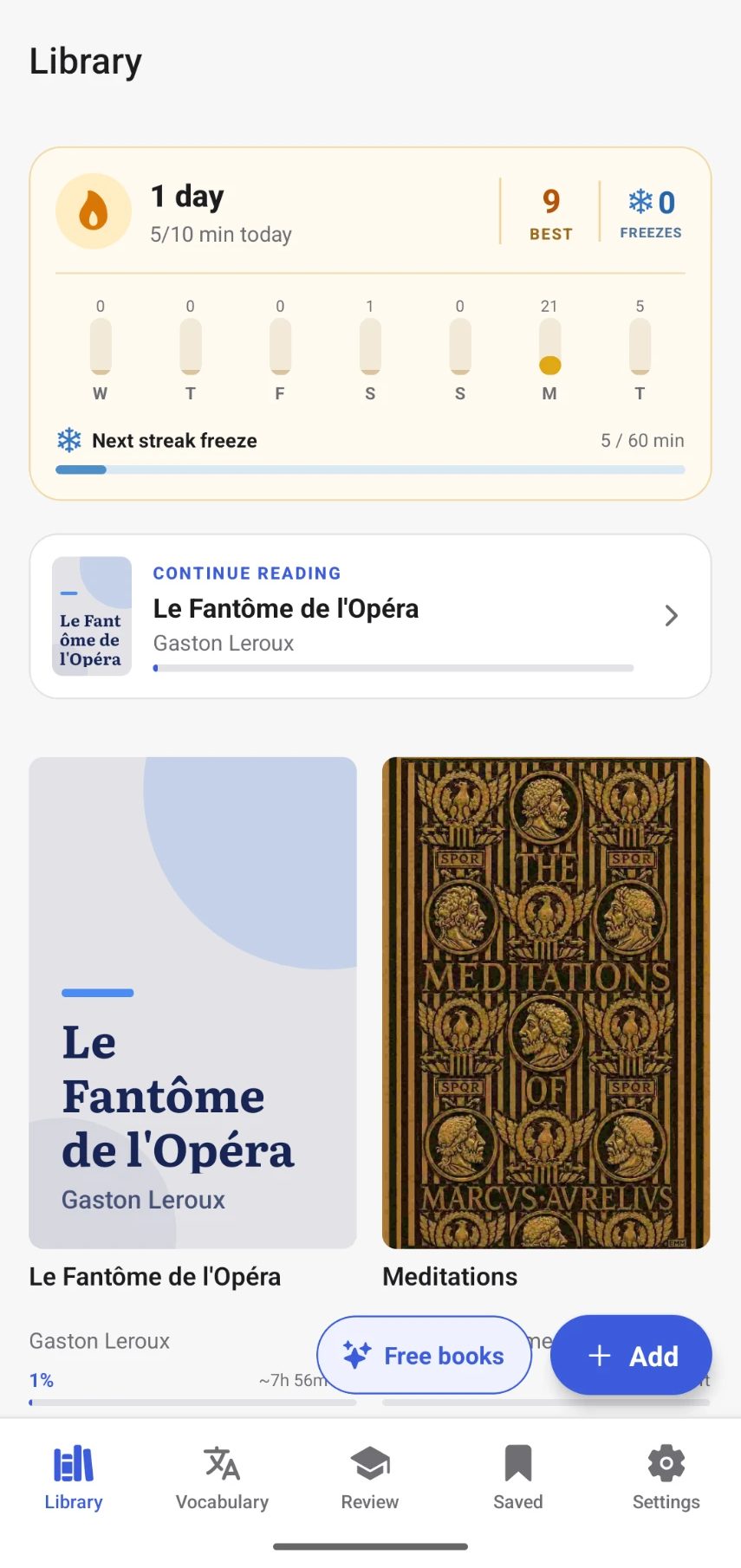
Open any EPUB from Files or iCloud, read it offline, and tap a word to see what it means without leaving the page. The words you save come back until you know them.
On iPhone? Get one email when it's ready.
- Import EPUBs from Files and iCloud
- Reads fully offline
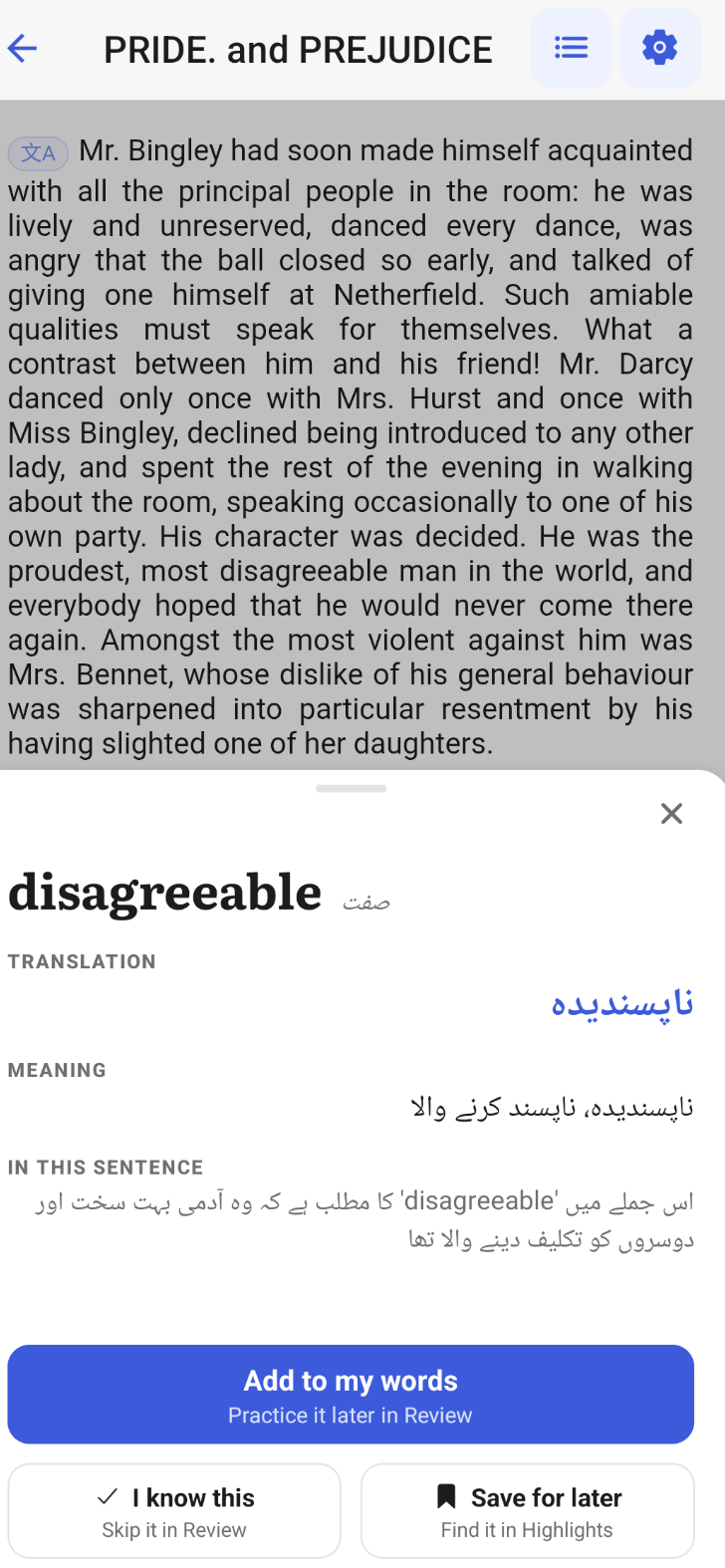
- Instant word definitions
- Free public-domain classics
What you get
Everything a good iOS reader does, and one thing more.
Clean typography, offline files and your own library are table stakes. uSage adds the part that turns reading into learning.
Tap a word, keep reading
An instant definition and translation for the word as it is used in that sentence — no app switching, no copy-paste.
Vocabulary that reviews itself
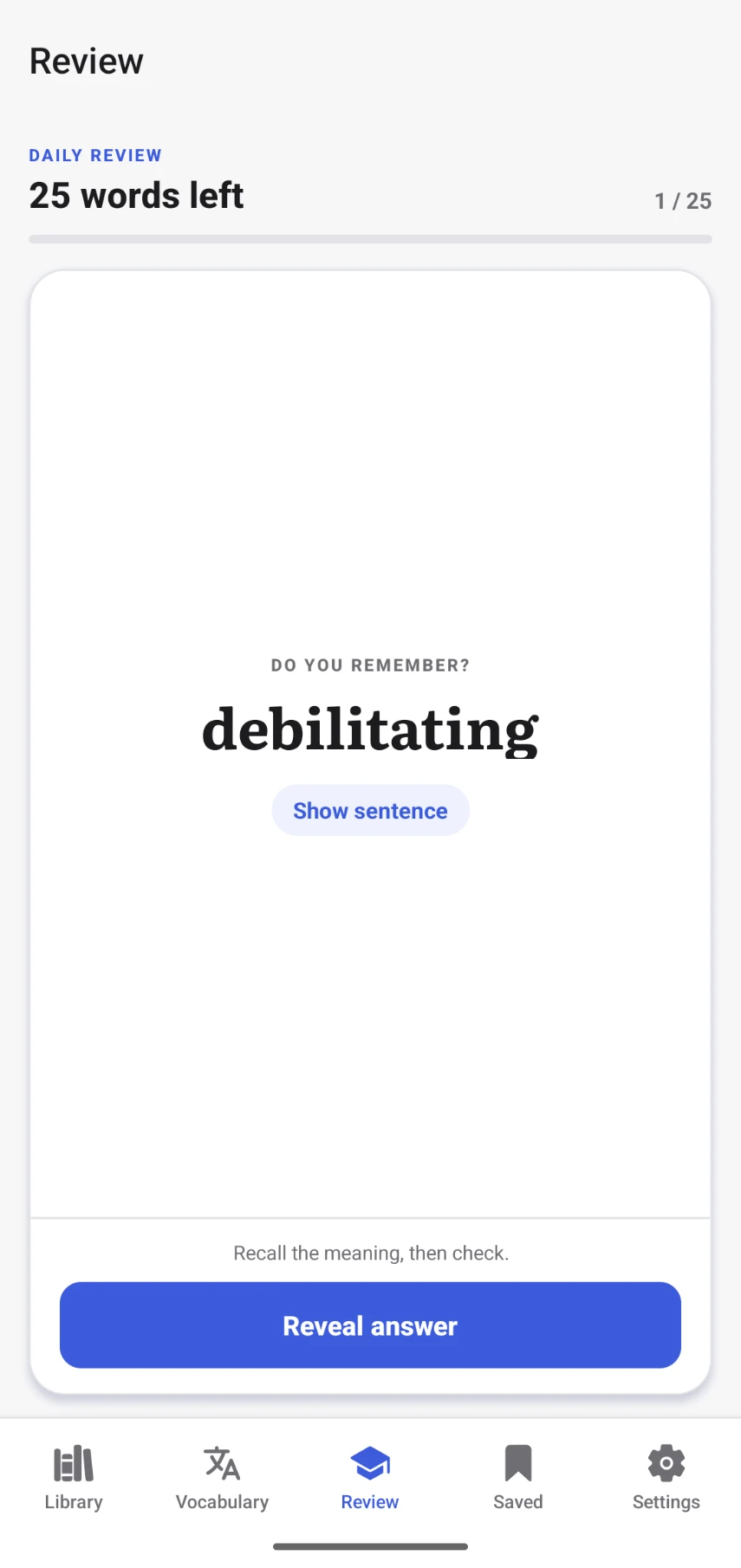
Saved words come back on a spaced-repetition schedule, so the ones you keep forgetting appear more often.
Highlights and notes
Colour-code passages and add thoughts. Everything stays filed by book and chapter for later.
Full offline reading
Flights and subway rides are fine. Downloaded books need nothing from the network.
Free classics, ready to open
Public-domain titles are already in the library, so there's something to read the moment you install.
Import from Files and iCloud
Bring EPUBs from Files, iCloud Drive or the iOS share sheet. DRM-free files open directly.
Offline first
Your books live on your iPhone.
Download a title once and the whole experience keeps working in airplane mode — the text, the word lookups you've already seen, your highlights, and the daily review of saved words.
When a connection comes back, everything you did syncs quietly in the background.
- 1
Add a book from the free library or import your own EPUB from Files.
- 2
Read anywhere — tap words, highlight passages, write notes.
- 3
Come back online and your progress catches up on its own.
Questions
About reading EPUBs on iPhone and iPad.
Is uSage on the App Store yet?
Not yet. uSage is available on Android now, and the iPhone and iPad app is coming soon. Leave your email and you'll get one email the day it's on the App Store.
Can I open EPUB files already on my iPhone?
Yes. Import any DRM-free EPUB from Files, iCloud Drive or a share sheet and it opens in the reader with word lookup, highlights and notes enabled.
Does the iOS EPUB reader work offline?
Yes. Once a book is on your device, reading, word lookups, highlights and vocabulary reviews all work in airplane mode. Changes sync the next time you're online.
Does it work on iPad too?
The iPhone and iPad app is coming soon. Leave your email to hear when it is available.
Are there free books included?
The app ships with a curated library of public-domain classics you can start reading immediately, alongside any EPUB you import.

iPhone and iPad, coming soon.
One email the day uSage lands on the App Store. Nothing else.
On iPhone? Get one email when it's ready.